If soap foam is filling your shop vac, switch it off and unplug it before the foam can reach the motor. Then clear the drum, check the wet-pickup setup, and avoid restarting until the vacuum is clean and dry.
Stop the vacuum and unplug it
Turn the shop vac off and unplug it at the outlet. Don’t keep vacuuming to see whether the foam will settle: foam can pass through the float shutoff more easily than water and may reach the motor. Keep the vacuum upright, and don’t open or empty it while it’s running.
If you hear unusual motor noise, see liquid coming from the exhaust, or smell something electrical, leave the vacuum unplugged and don’t restart it. Check the manual or contact the manufacturer about service.
Clear the foam and check the setup
Once the vacuum is unplugged, follow its manual to open and empty the drum. Dispose of the soapy liquid appropriately, then rinse residue from the drum and let the parts dry.
Before using the vacuum again, check these points:
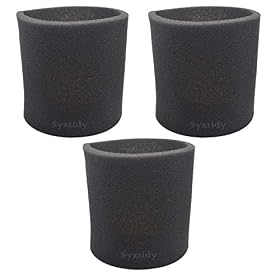
Filter: Confirm the filter is set up for wet pickup as your model requires. Some vacuums call for removing a dry-use cartridge filter; others require a specific wet-pickup filter. Don’t guess—check the manual. Replace a filter if it is damaged or won’t clean up properly.
Hose and inlet: Look for a soap-heavy clog or trapped debris. With the vacuum unplugged, detach the hose if the manual allows and rinse or clear it as directed. Let it dry before reconnecting.
Seals and float: Check that the lid is seated correctly and the gasket is clean and undamaged. Make sure the float moves freely and isn’t stuck with residue.
Drum and capacity: Empty the drum completely before the next pickup. Foam can fill the available space quickly, even when the amount of liquid seems small.
Use a defoamer only if the vacuum manufacturer says it is suitable for your model and the product directions allow that use. Don’t add more detergent or mix cleaning chemicals to try to control the foam.
Product prices and availability are accurate as of the date/time indicated and are subject to change. Any price and availability information displayed on Amazon.com at the time of purchase will apply to the purchase of this product.
Prevent foam during the next cleanup
A shop vac is generally meant to pick up liquid, not to make or collect large amounts of suds. If possible, remove or dilute the soap suds using a method suited to the surface—such as a mop, sponge, or wet-floor squeegee—before vacuuming remaining liquid.
If you do use the vac, work in short intervals and watch the drum. Stop and empty it before it gets near capacity. Use the correct wet-pickup filter and follow the manufacturer’s instructions for the float shutoff and any approved foam-control products.
When it’s safe to restart
Don’t restart the vacuum until the drum, hose, filter, and any parts that got wet are clean and dry as required by the manual. Reassemble it correctly and confirm the float moves freely. If foam or liquid reached the motor area, or the vacuum behaves unusually after drying, keep it unplugged and contact the manufacturer or a qualified repair service. A damaged filter or seal may need replacement; a vacuum with motor damage may need professional repair or replacement.
FAQ
Can soap foam damage a shop vac?
Yes. Foam can pass the float shutoff and reach areas that should stay dry, potentially damaging the motor. Switch off and unplug the vacuum as soon as foam rises in the drum.
Should I remove the filter when vacuuming water?
It depends on the model. Some shop vacs require removing a dry-use filter, while others need a wet-pickup filter. Follow the owner’s manual rather than assuming the filter should always be removed.
Can I put defoamer in a shop vac?
Only use a defoamer if the vacuum manufacturer approves it for your model and the product directions permit that use. Don’t substitute other cleaners or mix chemicals.