Shop Vac Is Louder Than It Used to Be: Causes and Checks
A sudden increase in shop-vac noise can come from a clogged filter, a blockage, an air leak, or a loose part. Unplug the vac before inspecting it, then check the simple causes before suspecting the motor.
If your shop vac is louder than it used to be, first unplug it and check for a clogged filter, a hose blockage, loose fittings, or an air leak. A change in pitch can also come from a different attachment or setup. If the noise is grinding, accompanied by a burning smell, or paired with smoke or sparks, stop using the vac and leave motor or electrical checks to a qualified repair professional.
Start with safety and the sound
Unplug the vacuum before removing its head, filter, hose, or attachments. Let it cool if it has been running. Check the manual before operating it without a hose or with any part removed; do not run it without a filter the manufacturer requires.
Notice what the sound is like. A whistle or hiss can point to restricted airflow or an air leak. Rattling may come from a loose attachment or debris. A harsh grinding or scraping noise is more concerning and can indicate a mechanical problem. These clues are not a diagnosis, but they can help you narrow down what to inspect.
Check the filter first
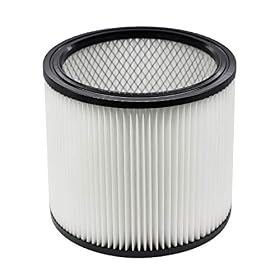
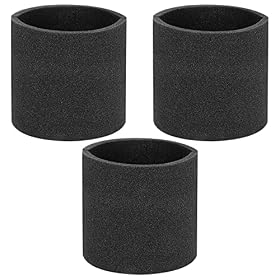
A filter packed with dust or debris can restrict airflow and change the sound. Remove it according to the manual and inspect it for heavy buildup, damage, or an incorrect fit. Clean or replace it only as the manufacturer directs; some filters are washable and others are not. Let a washable filter dry completely before reinstalling it.
Make sure the filter is seated correctly and that its retainer or cage is secure. A damaged, loose, or incompatible filter can allow debris into the vacuum or cause parts to vibrate. Never use the vac without the required filter as a test.
Product prices and availability are accurate as of the date/time indicated and are subject to change. Any price and availability information displayed on Amazon.com at the time of purchase will apply to the purchase of this product.
Inspect the hose and attachments
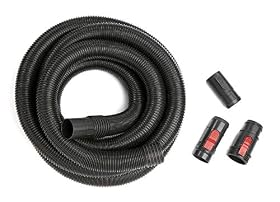
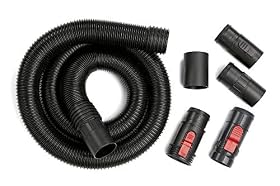
With the vacuum unplugged, detach the hose and look through it for a blockage. Check the hose ends, wand, nozzle, and any adapter for lodged debris, cracks, or loose connections. Clear an obstruction with a suitable, non-sharp tool only if the manual allows it; do not force an object through the hose or damage its lining.
Reconnect the parts firmly. If the sound changes when using one particular attachment, inspect that attachment for a blockage or damage. A cracked hose or loose-fitting adapter may need replacement if it cannot be securely repaired.
Product prices and availability are accurate as of the date/time indicated and are subject to change. Any price and availability information displayed on Amazon.com at the time of purchase will apply to the purchase of this product.
Look for air leaks and loose parts
Check that the vacuum head is sitting evenly on the drum and that latches are closed. Inspect the lid gasket and other accessible seals for dirt, gaps, tears, or displacement. Wipe away debris and reseat a seal if the manual permits. Replace a damaged seal with a compatible part rather than trying to compensate by overtightening latches.
Also check that the hose and accessories are fully seated and that the drum, cart, and external handles are not loose. A part vibrating against the body can make an otherwise normal motor sound much louder.
Verify the setup and drum level
Confirm that the vac is configured for the job. Wet pickup and dry pickup may require different filter or float arrangements, depending on the model. Use the setup specified in the manual, and do not operate with a float or other safety component removed or improperly installed.
Check whether the drum or collection bag is full. Empty it when needed, and make sure the bag is installed correctly if your setup uses one. A full container or incorrectly fitted bag can restrict airflow and may change the sound.
When the motor may be the problem
If the filter, hose, seals, setup, and drum all check out but the vac remains unusually loud, unplug it and inspect only the exterior for obvious damage. Do not open the motor housing or touch internal wiring. Stop using the unit if it grinds, smells hot or burned, smokes, sparks, trips a breaker, or has a damaged cord.
Check the manufacturer’s troubleshooting and service guidance. A repair shop can assess a motor or fan problem, especially if the vacuum is otherwise in good condition. If the motor assembly is damaged, parts are unavailable, or repair is not practical, replacing the vacuum may be the safer next step.
FAQ
Can a clogged shop-vac filter make the vacuum louder?
Yes. A heavily loaded filter can restrict airflow and change the sound. Unplug the vac, inspect the filter, and clean or replace it only as the manufacturer directs.
Is it safe to run a shop vac without its filter to see if the noise stops?
Do not do this unless the manufacturer specifically permits that configuration for your model and task. Many shop vacs require a filter, and running without it can expose the motor to debris.
Why does my shop vac whistle?
A whistle can come from restricted airflow, a blockage, or air leaking around a hose connection, lid, or seal. Unplug the vac and check those areas before using it again.
When should I stop using a noisy shop vac?
Stop and unplug it if you hear grinding or scraping, smell burning, see smoke or sparks, notice a damaged cord, or the vacuum repeatedly trips a breaker. Have a qualified repair professional assess suspected motor or electrical faults.